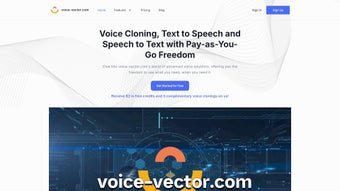

Download Voice Vector – AI Voice Cloning, Text‑to‑Speech & Transcription Tool
Why Voice Vector Is the Go‑to AI Voice Platform for Creators
In a world where audio content is exploding across podcasts, e‑learning, marketing, and virtual assistants, having a reliable, high‑quality voice engine is no longer a luxury—it’s a necessity. Voice Vector steps into this space as a comprehensive AI‑driven web application that bundles three core capabilities: voice cloning, text‑to‑speech (TTS), and speech‑to‑text (STT). What sets it apart is the seamless integration of these services into a single, user‑friendly dashboard, backed by strong privacy guarantees and flexible pricing options.
Whether you are a developer building conversational bots, a podcaster wanting to produce episodes faster, or a corporate team that needs accurate meeting transcriptions, Voice Vector offers a “one‑stop shop” that removes the friction of juggling multiple SaaS tools. The platform’s AI models have been trained on diverse language datasets, delivering lifelike vocal timbres in dozens of languages while maintaining low latency. Moreover, the service respects data ownership—audio files are encrypted in transit and at rest, and users retain full control over their cloned voice models.
This focus on security, combined with a pay‑as‑you‑go or subscription model, makes Voice Vector a scalable solution for freelancers and enterprises alike. In the sections that follow, we’ll dive deep into its feature set, walk through the installation and usage process, examine system compatibility, and address the most common questions potential users have.
Key Features, Benefits, and Real‑World Use Cases
Feature Overview
- Voice Cloning: Create a personalized synthetic voice from as little as 30 seconds of recorded speech. Ideal for audiobooks, brand mascots, or preserving a speaker’s voice.
- Multilingual Text‑to‑Speech: Generate natural‑sounding audio in over 30 languages with adjustable pitch, speed, and emotion controls.
- Accurate Speech‑to‑Text: Transcribe meetings, lectures, or interviews with up to 96% accuracy, supporting punctuation and speaker diarization.
- API Access: Full RESTful API enables developers to embed cloning, TTS, and STT directly into apps, chatbots, and automation pipelines.
- Batch Processing: Upload CSV or JSON files to convert large volumes of text to audio or transcribe multiple recordings in one go.
- Privacy‑First Architecture: End‑to‑end encryption, optional on‑premise deployment, and strict data retention policies.
- Usage Analytics Dashboard: Real‑time monitoring of token consumption, latency, and error rates to optimize cost and performance.
Pros
- Highly realistic voice cloning that preserves speaker nuances.
- Support for a broad set of languages and regional accents.
- Fast processing times—most TTS requests return in under 2 seconds.
- Robust API documentation with SDKs for Python, Node.js, and Java.
- Flexible pricing model accommodates both occasional users and high‑volume enterprises.
- Strong privacy controls that comply with GDPR and CCPA.
Cons
- Voice cloning requires a clean, noise‑free sample; background noise can affect model quality.
- Free tier limits the number of minutes per month, which may be restrictive for heavy podcasters.
- Advanced emotion‑control features are only available on higher‑tier subscriptions.
- No native desktop client—access is web‑based, which can be a limitation in offline scenarios.
Installation, Usage Guide, and System Compatibility
Getting Started in Minutes
Voice Vector is a cloud‑native solution, meaning there is no traditional “installation” process on the user’s machine. To begin, simply navigate to voicevector.com, click Sign Up, and verify your email address. After logging in, you will be greeted by a clean dashboard that separates the three core modules: Clone, Speak, and Listen.
Step‑by‑step workflow:
- Voice Cloning: Upload a short WAV or MP3 file (30 seconds–2 minutes) of your voice. The platform automatically cleans the audio, extracts phonetic features, and builds a voice model within 5–10 minutes. You can name the model and set an expiration date if desired.
- Text‑to‑Speech: Type or paste the script you want to convert, select the cloned voice or any of the built‑in voices, adjust speed/pitch, and click Generate. The audio file is streamed instantly, and you can download it as MP3 or OGG.
- Speech‑to‑Text: Drag‑and‑drop a recording, choose the source language, and let the engine transcribe. The result appears in a rich text editor where you can add timestamps, speaker labels, and export to TXT, SRT, or JSON.
- API Integration: Generate an API key from the Developer tab, then follow the quick‑start guide. Sample cURL commands illustrate how to send POST requests to
/v1/tts,/v1/clone, and/v1/stt.
Operating System Support
Because Voice Vector lives in the browser and offers a RESTful API, it works on any modern operating system that supports a recent web browser—Windows 10/11, macOS Catalina and later, Linux distributions with Chrome/Firefox, as well as mobile platforms such as Android 8+ and iOS 13+. For developers, the SDKs are platform‑agnostic, allowing integration into Windows desktop apps, macOS utilities, or cross‑platform frameworks like Electron.
System Requirements & Recommendations
While the service itself runs in the cloud, optimal user experience benefits from a stable internet connection (minimum 5 Mbps for seamless audio streaming) and a browser that supports Web Audio API. For large batch jobs, we recommend using a wired Ethernet connection or a high‑speed Wi‑Fi 5/6 network to reduce latency. On the server side, Voice Vector’s API can handle up to 500 concurrent requests per second on the enterprise plan, ensuring that high‑traffic applications stay responsive.
Pricing Plans, Subscription Options, and Security Guarantees
Flexible Pay‑as‑You‑Go and Tiered Subscriptions
Voice Vector acknowledges that audio workloads vary dramatically across user groups. Consequently, the platform offers two primary billing models:
- Pay‑as‑you‑go: Purchase credits that are deducted per minute of generated audio, per minute of transcribed speech, or per cloning session. Ideal for freelancers, podcasters, or developers testing the API.
- Subscription plans: Monthly or annual bundles that include a set number of minutes for each service (e.g., 10 h TTS, 5 h STT, 2 h cloning) plus a discount on extra usage. Higher tiers unlock premium voices, emotion control, and priority support.
All plans include a 14‑day free trial with limited minutes, allowing prospective users to evaluate quality before committing. Billing is handled through a secure PCI‑DSS‑compliant gateway, and invoices are available in the user portal for easy accounting.
Data Privacy and Security Architecture
Security is a cornerstone of Voice Vector’s design. Audio files are encrypted with TLS 1.3 during upload and storage, and each user’s data is isolated in separate logical containers. For voice cloning, the raw training audio is retained for only 24 hours before being automatically shredded, ensuring that the original voice material cannot be retrieved after model creation. Users can also enable “self‑destruct” mode, which deletes the cloned voice model after a specified period.
The platform complies with GDPR, CCPA, and ISO 27001 standards. In addition, an optional on‑premise deployment package is available for enterprises with strict regulatory requirements, allowing the entire stack to run behind a corporate firewall while still leveraging the same AI models.
Frequently Asked Questions & Final Thoughts
How much audio can I generate with the free trial?
The free trial provides 30 minutes of text‑to‑speech, 15 minutes of speech‑to‑text, and one voice‑cloning session (up to 2 minutes of audio). This is enough to test the quality of the voices and the accuracy of the transcription service before deciding on a paid plan.
Can I use Voice Vector for commercial projects?
Yes. All paid plans include a commercial‑use license, allowing you to embed generated audio in podcasts, advertisements, e‑learning courses, and even product packaging. The license terms are clearly outlined in the subscription agreement.
What languages are supported for text‑to‑speech?
Voice Vector currently supports over 30 languages, including English (US, UK, AU), Spanish, French, German, Mandarin, Japanese, Korean, Portuguese, Italian, Dutch, Russian, Arabic, Hindi, and many regional dialects. New languages are added quarterly based on user demand.
Is there a limit to the size of audio files I can transcribe?
Individual uploads can be up to 2 GB or 4 hours of audio per file. For longer recordings, you can split the file into smaller segments and use the batch processing endpoint, which will automatically concatenate the transcriptions in the correct order.
How does Voice Vector ensure the privacy of my cloned voice?
During the cloning process, the source audio is encrypted and stored only long enough to train the model (maximum 24 hours). After the model is created, the raw audio is permanently deleted. Users retain full ownership of the cloned voice and can delete it at any time via the dashboard.
Conclusion – Is Voice Vector Right for You?
After a thorough look at its capabilities, pricing, and security posture, it’s clear that Voice Vector offers one of the most balanced AI voice solutions on the market today. Its three‑in‑one approach eliminates the need for multiple subscriptions, while the intuitive web interface and robust API make it accessible to both non‑technical creators and seasoned developers. The voice cloning feature stands out for its realism, and the multilingual TTS engine is on par with industry leaders like Google Cloud and Amazon Polly, often delivering more expressive prosody at a lower cost. If you’re a podcaster aiming to automate episode narration, a SaaS product that needs a brand‑consistent voice, or an organization looking to archive meetings accurately, Voice Vector provides a secure, scalable, and cost‑effective answer.
Ready to give your projects a professional voice? Download Voice Vector today, start the free trial, and experience the power of AI‑generated audio without compromising privacy or budget.



.png)



